KRKART
Blocks — turn photos and video into a LEGO-style brick mosaic
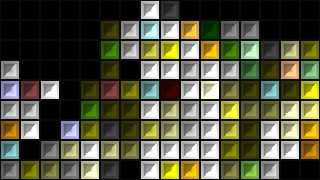
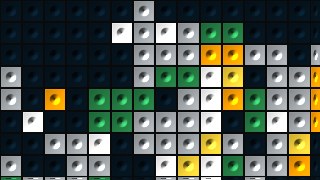
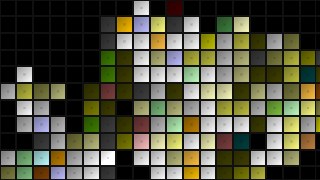
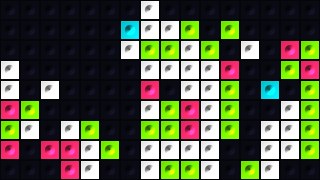
Blocks rebuilds any image or video as a grid of toy-brick studs with real 3D bevel lighting. It runs entirely in your browser on your webcam, video, or image — nothing is ever uploaded — and you can export the result to MP4, WebM, or PNG.
What it does
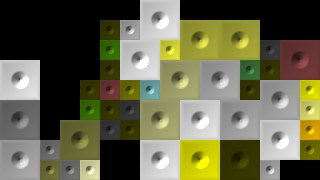
Blocks pixelates your source into a tight grid of cells and rebuilds each one as a raised plastic stud. A 45-degree light bakes a highlight onto the top-left and a shadow into the bottom-right, with a separate side-shadow and directional bevel pass that gives every brick real depth instead of a flat pixel look. Pick the stud shape — round, square, hexagon, or none — and dial in stud size, stud strength, highlight, side shadow, and bevel depth to land anywhere between glossy toy bricks and clean flat tiles. An Amount slider sets how coarse or fine the grid is, from chunky bricks to a dense mosaic.
Beyond the studs you get the full brick-wall toolkit. Turn on Grout Gap to draw clean spacer lines between bricks in any color, and switch on a Baseplate color to fill empty or transparent cells. The Color section adds saturation control plus two quantize modes: snap every cell to a curated palette (Classic LEGO, Mono, Neon, Pastel, Sunset, Earth) or posterize per channel with a Levels slider. Size by Brightness grows bricks in lighter areas (or darker, inverted) for a halftone feel. Seven one-click presets — Classic Brick, Round Stud, Tile Floor, Neon Pop, Pixel Mosaic, Halftone Blocks and Default — get you started fast, a Quality cap keeps video real-time, and cover/contain fit plus FPS and bitrate controls handle export. Chain it with other effects in Combine and animate any slider on the keyframe timeline.
Use it for
- Rebuild a portrait or logo as a LEGO-style brick wall for a poster or thumbnail
- Give a music video clip a chunky toy-brick mosaic look in 9:16
- Posterize a photo to the Neon or Mono palette for a graphic social post
- Make a flat ceramic-tile-floor texture from a video using the no-stud Tile mode
- Turn a webcam feed into a live brick-mosaic stream overlay
- Create a halftone-style block image where bright areas use bigger bricks
How to use it
Open the Studio and pick a source: your webcam, a video or an image.
Add Blocks from the hub, tweak its controls and watch the preview update live.
Export a 9:16 MP4 (or WebM / PNG) — no watermark with a license.
6 ready-made looks
Each look is a one-click starting point for Blocks — it opens in the Studio on a demo clip, ready for your own footage.