KRKART
PixelSort — databending pixel-sort glitch for video and images
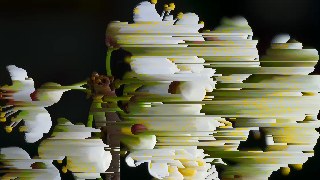
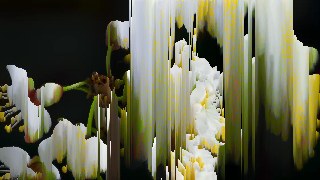
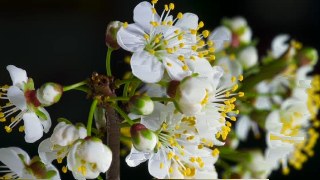
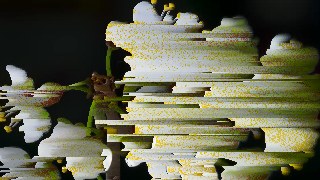
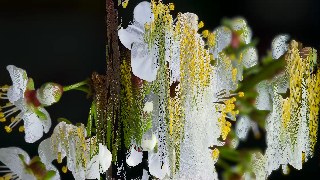
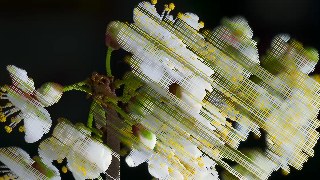
PixelSort reorders pixels along rows, columns or diagonals to make your footage smear, melt and bleed like a corrupted file. It runs entirely in the browser on your webcam, video or image — nothing is uploaded, files never leave your device.
What it does
PixelSort is a real pixel-sorting engine. It scans each line of the frame, finds contiguous runs of pixels whose key value falls inside a Threshold Low/High window, and reorders just those pixels ascending or descending — everything outside the window stays put, which is what produces the classic melting, dripping, smeared-paint look. You choose the sort key (brightness, hue, saturation, lightness, or a raw R, G or B channel) and the direction: horizontal, vertical, or diagonal at any angle from -89° to 89°. A separate Threshold On control lets you gate by one channel while sorting by another, Invert Range flips the effect to sort everything outside the window, and Key Contrast sharpens the sort so streaks read harder.
Power controls shape how clean or chaotic the glitch gets. Edge Break runs a Sobel edge pass so detected contours interrupt the sort runs — streaks respect object outlines instead of smearing across the whole frame. Amount thins out how many rows or columns are affected, and Segment Limit caps run length so bleeds stay short and dense. Turn on Animate and the threshold window drifts and breathes over time for footage that flows and melts on its own, with optional spatial Wave Amount and Wave Freq for a rippling pulse along each line. Six one-click presets — Classic, Melt, Edge Glitch, Channel, Wave and Diagonal — drop you into a finished look you can keep tweaking by hand. A Quality control sets the working resolution (360–680px) to balance detail against real-time speed, and you can chain PixelSort with other effects via Combine, animate parameters on the keyframe timeline, and export to MP4, WebM or PNG in 9:16, 1:1 or 16:9.
Use it for
- Turn a clean clip into a corrupted-file glitch transition for Reels and TikTok
- Make portraits melt and drip with vertical brightness sorting
- Build glitch-art album covers and posters from a single image
- Add an edge-aware databending hit on the drop of a music video
- Create animated, breathing pixel-bleed loops for VJ and live visuals
- Channel-shift photos by sorting the red, green or blue layer for chromatic smear
How to use it
Open the Studio and pick a source: your webcam, a video or an image.
Add PixelSort from the hub, tweak its controls and watch the preview update live.
Export a 9:16 MP4 (or WebM / PNG) — no watermark with a license.