KRKART
Voronoi — shatter your image into flat-colored crystal cells
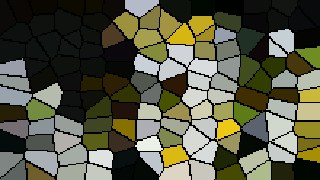
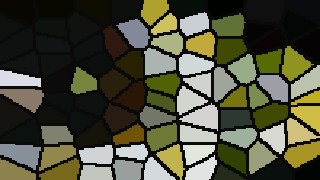
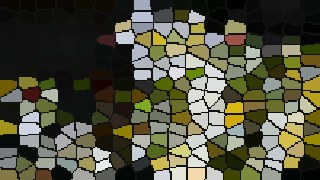
Voronoi crystallizes any photo or video into a mosaic of flat-colored crystal cells, redrawn in real time right in your browser. Nothing is uploaded — your files never leave your device.
What it does
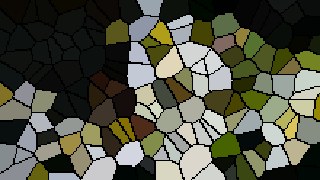
Voronoi scatters seed points across a jittered grid, assigns every pixel to its nearest seed, and floods each cell with that seed's sampled source color. The result is a clean crystal shatter — flat-tinted cells, crisp edges, no blur. Crank Cells from 10 up to 400 for anything from chunky stained-glass shards to a fine faceted mosaic, and push Jitter from a tidy grid toward fully irregular organic cells. A Quality control (140 / 220 / 320 / 440px working resolution) trades detail against speed, and cells stay sharp because the upscale runs with smoothing off.
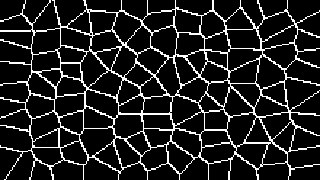
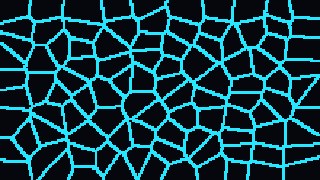
Two modes cover both looks: Fill paints solid cells in colors pulled straight from your image, with optional cell-border Edges in any color and width; Outline drops the fill entirely and draws just the cell wireframe in your chosen line color over a dark background. Turn on Animate and the seeds drift on slow per-cell sinusoids so the crystals creep and reshuffle over time, with a Drift Speed dial. Finish with Cover or Contain framing, a Mono toggle, and Invert. Works on webcam, video, or a still image, supports 9:16, 1:1 and 16:9, chains with other effects via Combine, and exports to MP4, WebM, or PNG.
Use it for
- Crystallize a portrait into a stained-glass-style album cover or poster
- Shatter a music-video clip into shifting crystal cells with Animate on
- Turn a live webcam feed into a low-poly faceted look in real time
- Outline mode for a clean Voronoi wireframe motion-graphic background
- High-contrast black-and-white shards using Mono plus white edges
- Faceted 9:16 loops for reels and stories, exported straight to MP4
How to use it
Open the Studio and pick a source: your webcam, a video or an image.
Add Voronoi from the hub, tweak its controls and watch the preview update live.
Export a 9:16 MP4 (or WebM / PNG) — no watermark with a license.
6 ready-made looks
Each look is a one-click starting point for Voronoi — it opens in the Studio on a demo clip, ready for your own footage.