KRKART
BlurSuite — nine blur engines in one real-time effect
BlurSuite packs directional motion blur, true gaussian/box softening, and a tilt-shift band into a single browser-based effect. It runs live on your webcam, video, or image on-device — nothing is uploaded — and exports to MP4, WebM, or PNG.
What it does
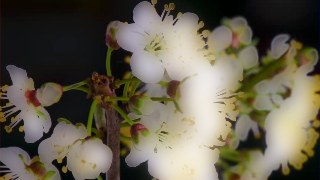
BlurSuite runs two blur engines under one panel. The directional family — Linear, Radial, Zoom, Wave, TB, and LR — builds streaks by accumulating multiple samples along a motion vector, so you get sweeping speed lines, swirling vortex blur around a movable center, outward zoom rush, a wavy directional drift, and clean top-bottom or left-right blur bands. Controls let you dial Blur Strength, Quality/Samples (8 to 32 taps), Motion Direction angle, and the center point for radial and zoom modes. The true-blur family — Gaussian, Box, and TiltShift — runs a real separable two-pass convolution for genuinely soft, even blur measured in pixels, with TiltShift keeping a sharp, tiltable band across the frame while everything above and below melts away.
On top of the blur you get a full lens-and-grade stack. A luminance Depth Mask blurs only the darks or only the lights; a directional Gradient Mask fades the blur across a soft band; Bokeh Highlights isolate bright points into a soft round glow, and a separate Bloom adds threshold-based light bleed. RGB Shift adds chromatic aberration, Grain adds deterministic film noise, and Gradient Mapping remaps the result through a 1-to-8-color grayscale ramp for monochrome or duotone looks. Six one-tap presets — Speed, Dreamy, Lens, Tilt, Vortex, and Soft — set everything at once, and a cover/contain fit plus export FPS and bitrate finish the render. Chain it with other effects via Combine and animate any control on the keyframe timeline.
Use it for
- Add a speed-line motion blur to a dance or sports clip for 9:16 reels
- Fake a shallow-depth tilt-shift miniature look on city or crowd footage
- Drop a dreamy gaussian soften with bloom over a portrait or product shot
- Spin a radial vortex blur around a subject for a hypnotic intro
- Blur only the dark background with a depth mask to lift a bright subject
- Convert footage to a monochrome duotone with blur plus gradient mapping
How to use it
Open the Studio and pick a source: your webcam, a video or an image.
Add BlurSuite from the hub, tweak its controls and watch the preview update live.
Export a 9:16 MP4 (or WebM / PNG) — no watermark with a license.