KRKART
Particles — dust, sparkles, snow, embers and bokeh over your video
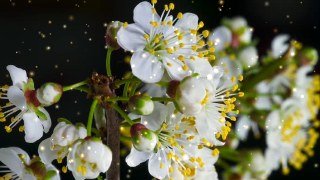
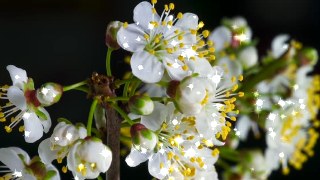
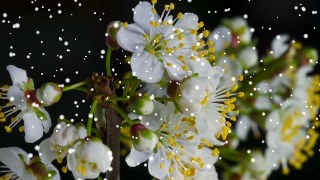
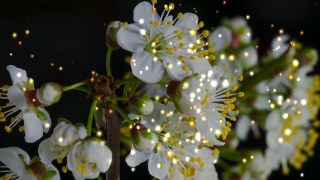
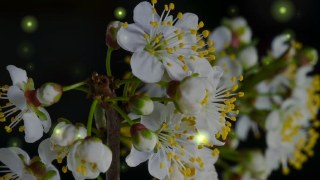
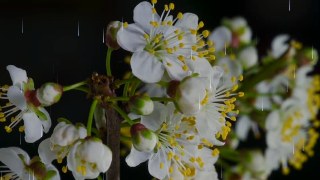
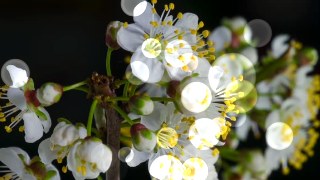
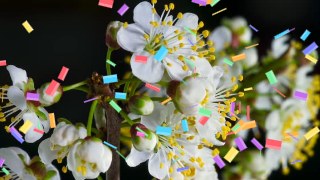
Particles adds a living layer of light on top of your footage: golden dust drifting through a sunbeam, sparkles that catch the highlights, falling snow, rising embers, fireflies, confetti that bursts where things move, rain and soft bokeh discs. It runs entirely in your browser — nothing is uploaded.
What it does
Particles is a real particle system, not a static overlay. Eight styles — Dust, Sparkle, Snow, Embers, Fireflies, Confetti, Rain and Bokeh — each with its own physics: dust wanders and twinkles, snow falls and sways, embers rise and cool from white-hot to red, fireflies pulse and drift, confetti tumbles and flips.
The particles do not have to spawn everywhere. Choose Emit from to make them appear only on the bright parts of the picture (sparkles on the highlights), where things are moving (confetti bursting off a dancer) or along the edges of the subject, and let them take their color straight from the frame with Source color. Speed, wind, gravity, turbulence, size and amount are all sliders, and Glow adds a soft additive light so the particles feel like they belong to the scene.
Trails smear each particle into a streak, Darken video makes them pop, and every parameter can be keyframed on the timeline. The simulation is deterministic, so a video export looks exactly like the live preview.
Use it for
- Dreamy golden-hour dust and sparkle over portraits, weddings and travel clips
- Snowfall and ember overlays for winter, fire and cinematic mood edits
- Confetti bursts that follow the action in birthday and party videos
- Fireflies and bokeh for lo-fi, fantasy and night-time aesthetics
- Rain overlays for moody edits without shooting in the rain
- Lyric videos and music visuals with glowing particles over the beat
How to use it
Open the Studio and pick a source: your webcam, a video or an image.
Add Particles from the hub, choose a look and tweak the style, amount and where they emit from — the preview updates live.
Export a 9:16 MP4 (or WebM / PNG) — free at 720p, no watermark.
9 ready-made looks
Each look is a one-click starting point for Particles — it opens in the Studio on a demo clip, ready for your own footage.