KRKART
Stutter — stop-motion, choppy time and beat-repeat
Stutter breaks smooth video into jumps: hold every frame like stop-motion, drop to a choppy frame rate, or loop the last split-second in a beat-repeat burst — then age it with film flicker, scratches, dust and sepia. It runs in your browser; nothing is uploaded.
What it does
Stutter works on time, not pixels. In Stop Motion mode every frame is held for a fixed step (2 to 30 fps) with a small random hand jitter — a nudge, a hair of rotation and zoom — so live footage looks like it was animated one pose at a time. An onion-skin ghost of the previous pose is optional. Choppy mode keeps the same rhythm without the jitter for a pure low-frame-rate look.
Repeat mode is a beat-repeat: every few seconds the effect grabs the last fraction of a second and loops it several times before letting the video continue, the classic stutter edit used on impacts and drops. Loop length, repeat count and interval are all adjustable.
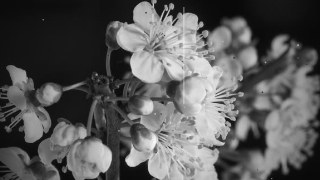
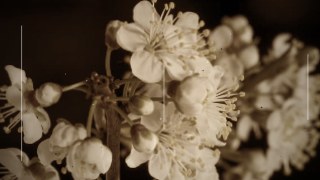
The Film section adds flicker, vertical scratches, dust and hair, a B/W or sepia tone and a projector-gate vignette — presets such as Silent Film (16 fps) and 8mm Memory. The timing is derived from the clip time rather than a frame counter, so what you see in the preview is exactly what you export.
Use it for
- Claymation-style stop-motion from ordinary video, with hand jitter
- Silent-film and 8mm home-movie looks: 16 fps, flicker, scratches, sepia
- Beat-repeat stutters on impact moments in Reels, Shorts and TikToks
- Lo-fi choppy frame-rate aesthetics for lookbooks and music clips
- Onion-skin ghost trails for dance and motion footage
- Turning smooth phone clips into deliberately handmade animation
How to use it
Open the Studio and pick a source: your webcam, a video or an image.
Add Stutter from the hub, choose a look and tweak its controls — the preview updates live.
Export a 9:16 MP4 (or WebM / PNG) — free at 720p, no watermark.
7 ready-made looks
Each look is a one-click starting point for Stutter — it opens in the Studio on a demo clip, ready for your own footage.